

Watch it above, or on the episode page with chapters and every source: engineering.fm/episodes/01-git-push-to-production
The 2-minute version
A push doesn’t upload your files. Git has already turned your change into objects (a blob per file, a tree per folder, a commit), each named by a hash of its contents.
a3f9c1eis just the start of one.History is chained. Every commit includes its parent’s hash, so changing one character in an old commit changes every hash after it.
A push is a negotiation. Your machine works out which objects the server is missing and sends only those, squeezed into one compressed packfile.
CI starts from nothing. On GitHub’s hosted runners, every job gets a brand-new machine, thrown away when the job ends.
Builds come in layers. Change one line and only your layer, plus the ones above it, rebuilds. Everything below comes from cache.
Deploys swap a quarter at a time. By default, Kubernetes never lets more than 25% of your copies go missing, or more than 25% extra spin up, and a new copy gets no traffic until its health check passes.
The canary goes first. One server in a hundred, then 5%, 25%, everyone. In July 2024 a CrowdStrike update went out in one go, and Microsoft estimated about 8.5 million devices were affected.
The question
You type git push. You hit Enter. A few minutes later, your code is live on servers you’ve never seen. So what actually happens in between?
The analogy: a factory line
Think of a factory line. Your change is the part on the belt, and every station either checks it or stops the line.
Every software company runs some version of this line. In DORA’s 2024 report, the best teams ran it several times a day. Back in May 2011, Amazon was starting a new deployment every 11.6 seconds on an average weekday (Jon Jenkins’ figure, from his Velocity talk that year).
We’ll send one change all the way down and zoom in three times: the whole line, the station everyone’s scared of, and the one trick that makes it safe.
Zoom 1: the whole line
Push. Git stores your work as objects: a blob for each file’s contents, a tree for each folder, and a commit that points at that tree and at the commit before it. Every object is named by a fingerprint of its contents, a hash, and a3f9c1e is the start of your commit’s. Because each commit carries its parent’s fingerprint, editing any old commit changes every fingerprint after it.
So a push is a negotiation. Your machine works out which objects the server lacks, tells it which branch to move, and sends just those objects in one compressed bundle called a packfile. The server checks everything, then moves the branch to your commit.
Trigger. The branch moving fires an event, and a CI system is listening. On GitHub’s hosted runners, it gets a fresh machine for every job and throws it away at the end, so nothing left over from yesterday can leak into today’s build.
Build. These days, building usually means a container image: your app plus everything it needs, packed in layers, with the slow-changing stuff at the bottom and your code on top. Change one line, and only your layer and the ones above it rebuild. Everything below comes straight from cache.
Test. Thousands of tiny questions. Does this function still return the right answer? Does the login page still load? One “no” stops the line.
Stamp. If everything passes, the image goes to a registry, named by a digest: yet another fingerprint, this time of the image’s exact contents. From here on, what gets deployed is byte-for-byte what got tested.
Zoom 2: deploy, the scary station
Production is already running the old version, for real people, and you can’t switch it off. You’re swapping the engine on a plane that’s flying.
The usual answer is a rolling update: start a few copies of the new version, wait until they’re ready, retire a few old ones, and repeat. Kubernetes’ defaults never let more than a quarter of your copies go missing, or more than a quarter extra spin up, during the swap.
“Ready” is literal. Each new copy gets poked with a health check, and until it passes, it doesn’t get a single request.
Some teams go further with blue/green: two full copies of production. Deploy to the idle one, flip the router, and if anything looks wrong, flip it back.
Zoom 3: the canary
Passing a health check isn’t the same as being right. Your code can be up and still wrong. That’s what the last gate is for.
The new version goes to a small slice first, say one server in a hundred, and the system compares that slice’s errors and speed with everyone else’s. If the numbers hold, the slice widens: 5%, then 25%, then everyone. If they don’t, it’s rolled back, and most people never touched the bad version.
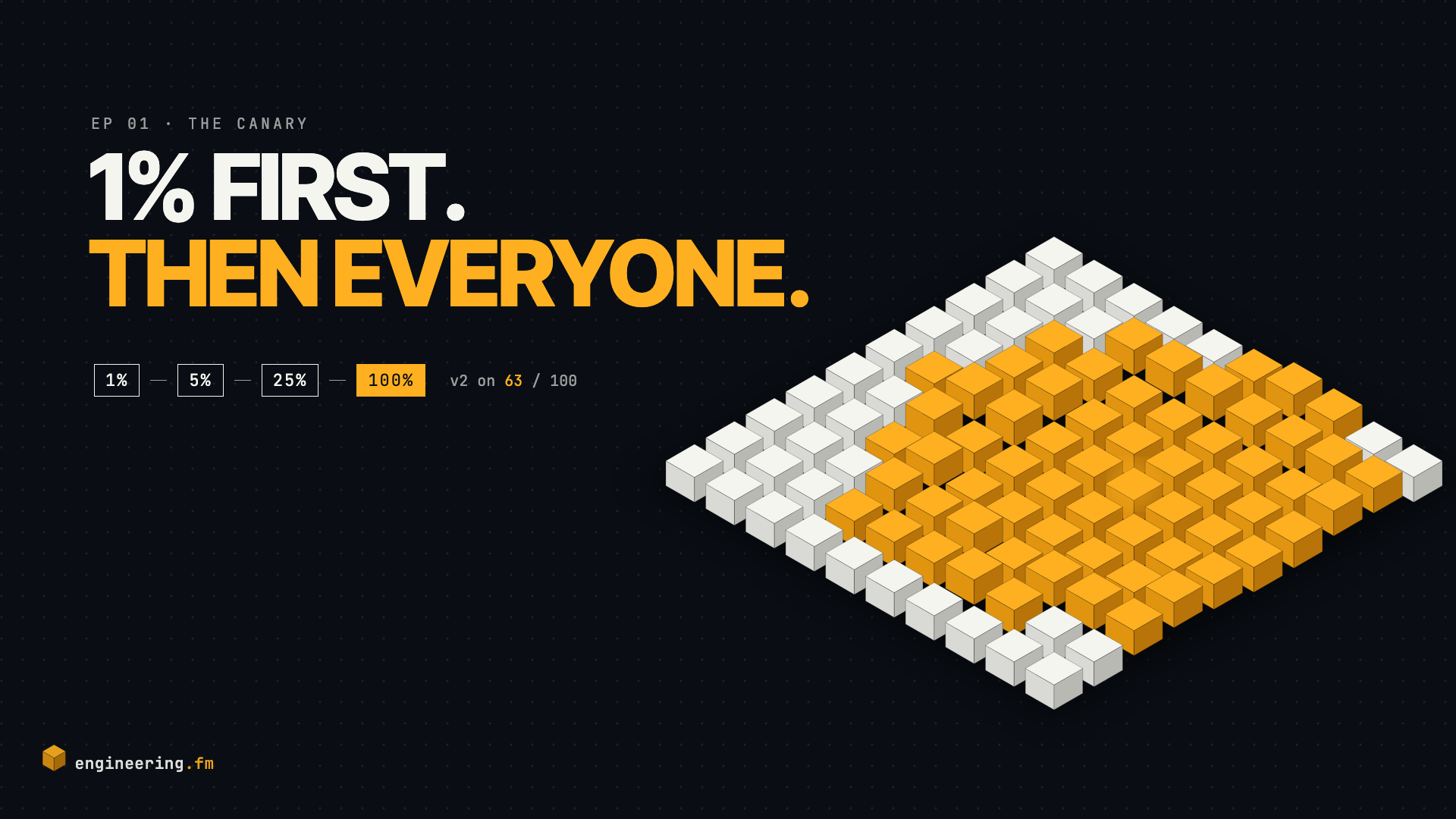
Skip that gate and you get July 2024. A faulty CrowdStrike update went out to its Windows customers in one go, and Microsoft estimated about 8.5 million devices were affected. Afterwards, CrowdStrike committed to staggered rollouts, starting with a canary. The root cause came down to twenty versus twenty-one, and we’ll take that one apart in a future episode.
Recap
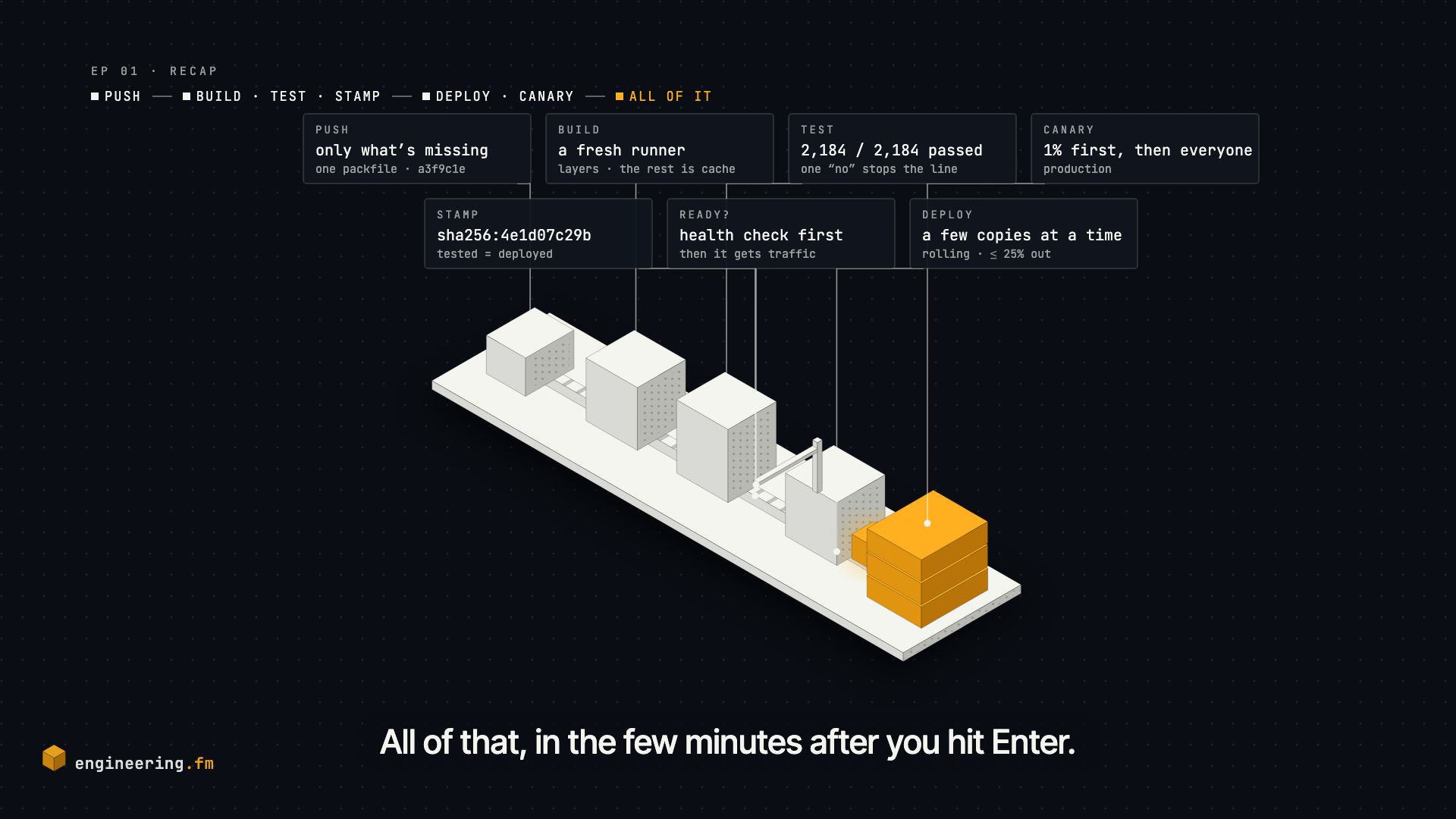
You push, and Git sends only the pieces the server doesn’t have. That wakes up a fresh machine, which builds your code in layers, tests it, and stamps it with a fingerprint of its own. Then the deploy swaps it in a few copies at a time, only once they’re ready, and a canary checks it’s actually right before everyone gets it.
All of that, in the few minutes after you hit Enter.
Go deeper
Three of the sources below reward reading in full:
Pro Git: Git Internals, Git Objects for blobs, trees and commits, hands-on.
Kubernetes docs: Deployments, rolling update for where those quarter-at-a-time defaults live.
Google SRE Workbook: Canarying Releases for the canary in Google’s own words.
Your turn
What did your last deploy break? Tell us in the comments.
Sources
That’s engineering.fm. One machine, taken apart, every episode.